

Setup
1
Open IPNVPN
Download IPNVPN from the App Store and open it. From the home
screen, tap the menu icon in the top-left corner.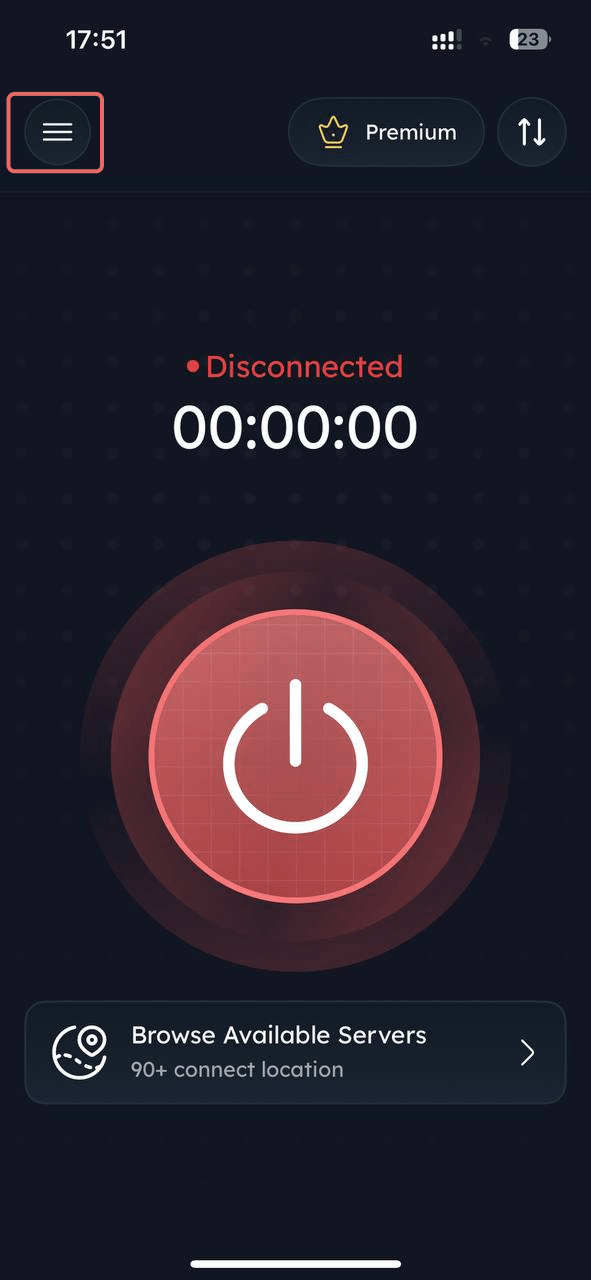
2
Open Proxy Connection
In the menu, tap Proxy Connection.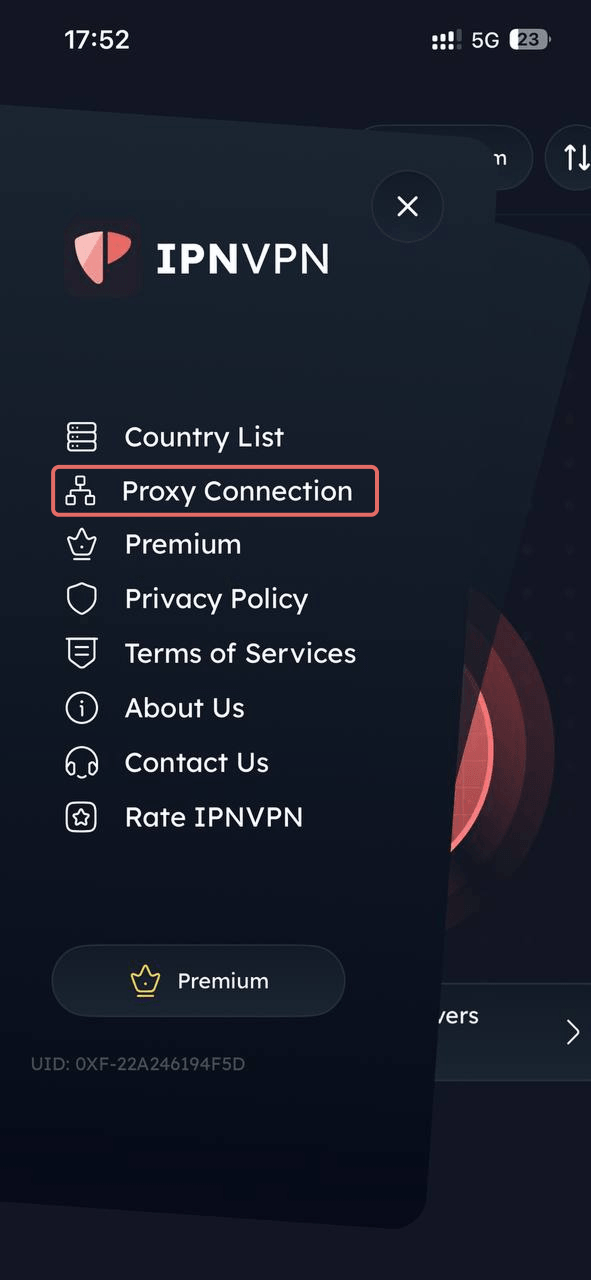
3
Grab your proxy details
Sign in to the IpnProxy Dashboard → Access Proxies (sidebar) and copy
the Hostname, Port, Username, and Password for the proxy
you purchased.
Example host used below:
residential.ipnproxy.com.
Example port: 823 (HTTP) or 824 (SOCKS5).
Yours may differ — always use the values shown in Access Proxies.4
Enter your connection details
On the Connect with Your Proxy screen, fill in the Connection
Details: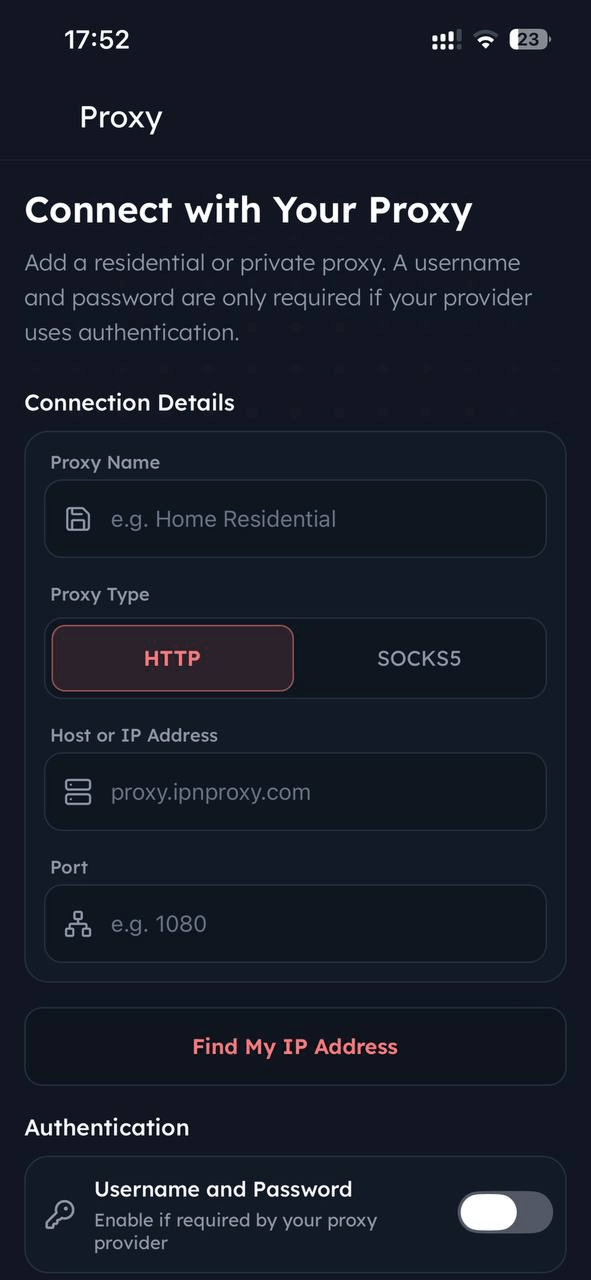
- Proxy Name: any label you’ll recognize later, e.g.
Residential Proxy - Proxy Type:
HTTPorSOCKS5 - Host or IP Address: e.g.
residential.ipnproxy.com - Port: e.g.
823for HTTP,824for SOCKS5
5
Enable authentication (if required)
If your proxy requires a username and password, toggle on Username and
Password under Authentication and enter your IpnProxy credentials.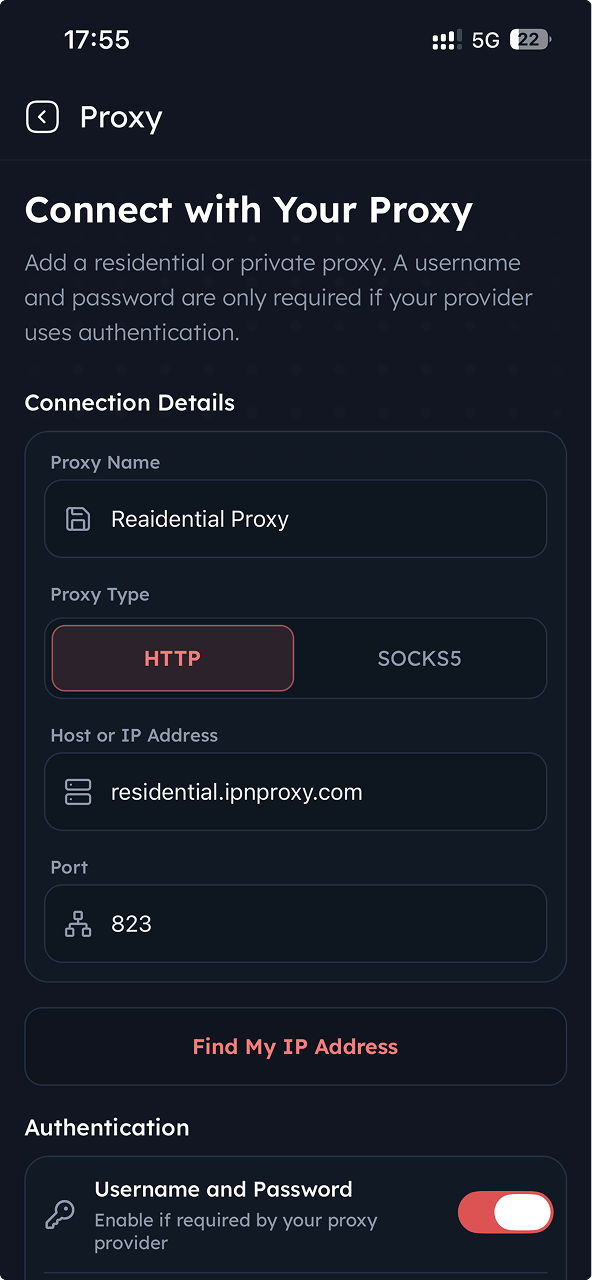
Datacenter and Premium Mobile proxies use different hosts and ports —
see the reference below for the exact values.
6
Test and connect
Tap the refresh/test icon next to the credentials to run a connection
test. A green Test Successful banner confirms the proxy works. Tap
Save to store it, or Connect to activate it right away.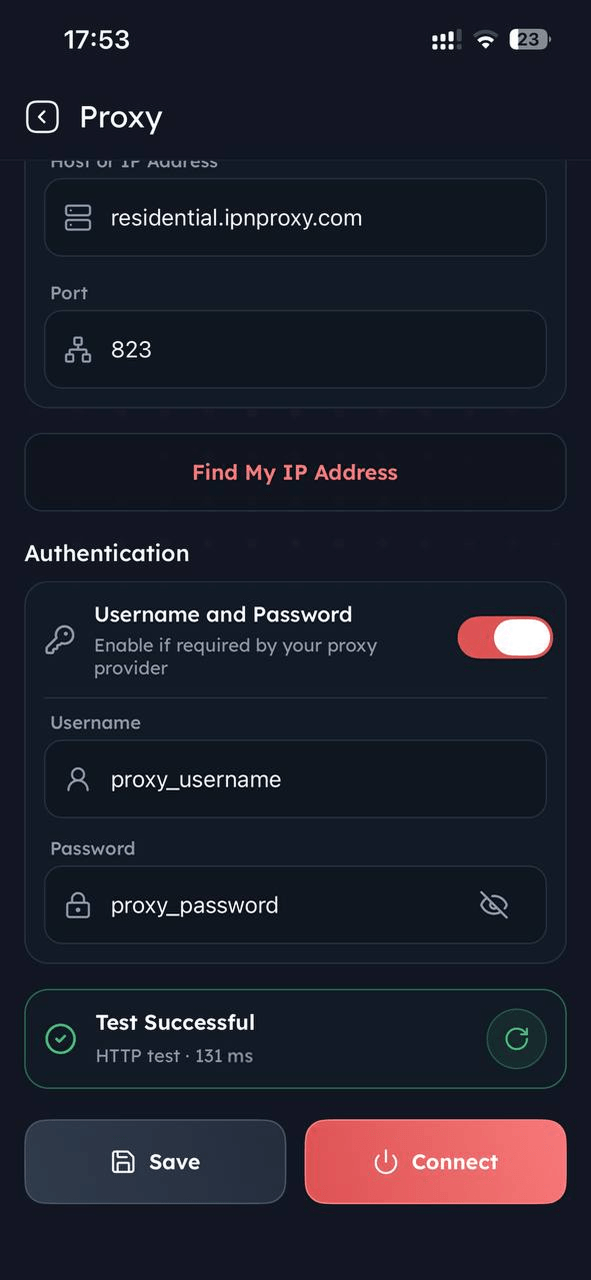
Residential Proxies
Settings
Settings
- Rotating HTTP/HTTPS
- Rotating SOCKS5
- Sticky sessions
- Host:
residential.ipnproxy.com - Port:
823 - Format:
Datacenter Proxies
Settings
Settings
- Host:
dc.ipnproxy.com - HTTP/HTTPS port:
10080 - SOCKS5 port:
10808 - Formats:
Premium Mobile Proxies
Settings
Settings
- Host and ports are assigned per proxy.
- Username:
{PROXY_USERNAME} - Password:
{PROXY_PASSWORD} - OpenVPN: Download the assigned
.ovpnprofile from Premium Mobile Access. - Formats:
Mobile Proxies
Settings
Settings
- IP address:
{IP_ADDRESS} - Port:
{PORT} - Formats:
IPNVPN lets you route your device’s traffic through an IpnProxy proxy
directly, without any extra VPN configuration.
If you change or rotate credentials in the Dashboard, update the same
values in IPNVPN’s Proxy Connection screen to keep the connection working.